Node.js 兩種模組機制
| 模組系統 | 名稱 | 來源 |
|---|---|---|
| CommonJS | require | Node.js 原創 |
| ES Modules | import/export | ECMAScript 標準 |
1️⃣ CommonJS(Node.js 傳統)
這是 Node.js 自己設計的模組系統。
// utils.js
function add(a, b) {
  return a + b;
}

module.exports = add;
// app.js
const add = require('./utils');
console.log(add(2, 3));
2️⃣ ES Modules(標準 JavaScript)
這是 ECMAScript 官方標準(瀏覽器與 Node.js 都支援)。
// utils.js
export function add(a, b) {
  return a + b;
}
import { add } from './utils.js';CommonJS 及 ES Modules 的差異對比總覽
| 特性 | CommonJS (CJS) | ES Modules (ESM) |
| 載入語法 | require() | import / import() |
| 導出語法 | module.exports / exports | export / export default |
| 載入時機 | 同步 (Sync) | 非同步 (Async) |
| 檔案副檔名 | .js (預設), .cjs | .mjs, .js (設定type為module) |
| 適用範圍 | Node.js 舊環境 | Node.js 新環境 / 瀏覽器 |
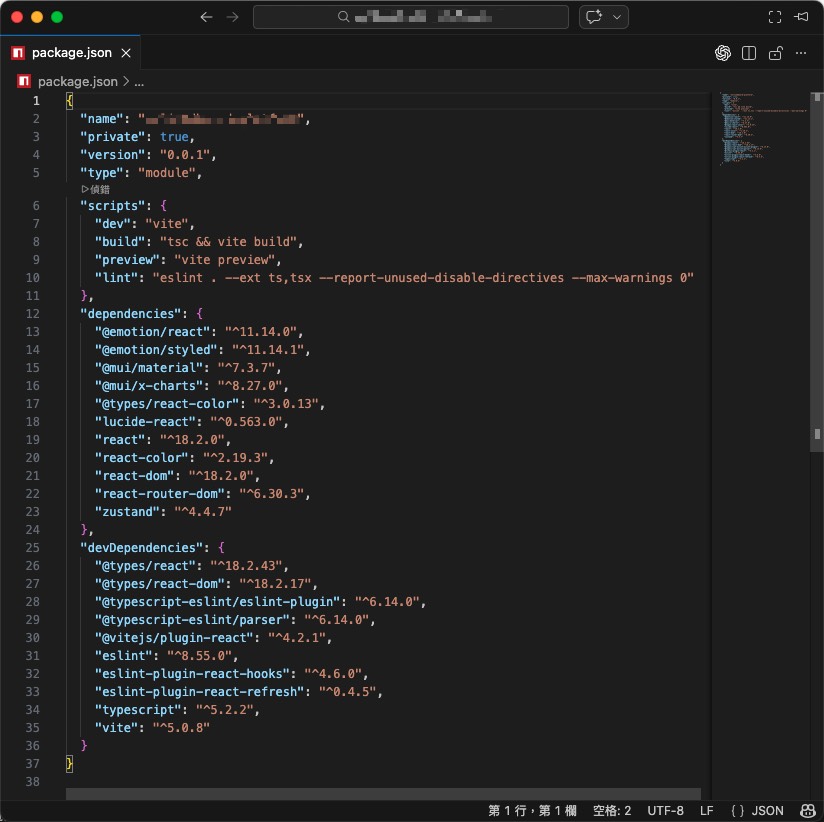
如何切換至 ESM
在 package.json 文件中添加 "type": "module",即可將整個專案的 .js 檔案視為 ESM。